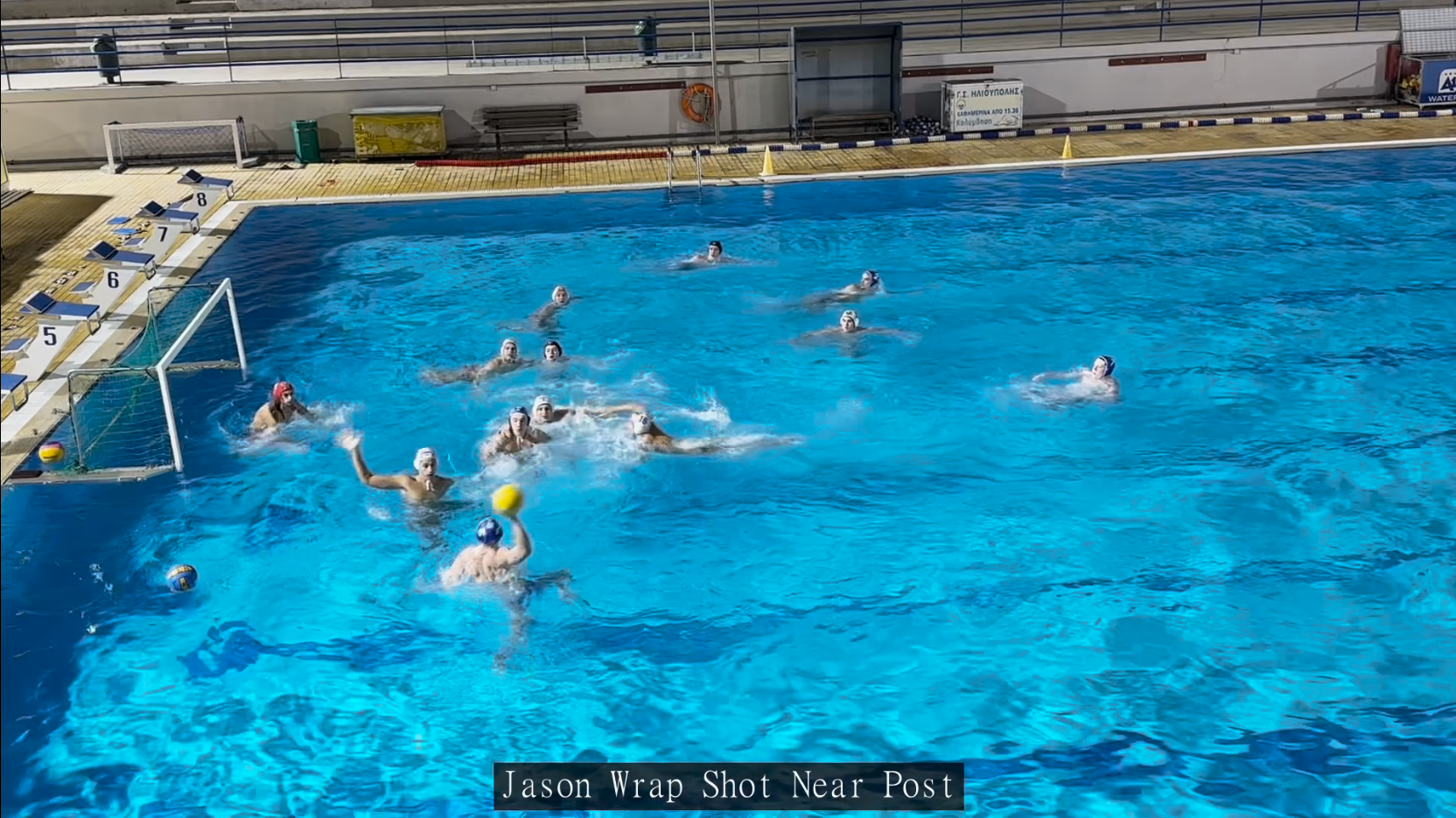
Share key moments with your team using Aqualytix's powerful clip export functionality. Turn your analysis into content that players can watch and learn from.
If you want to export clips with added overlays (such as arrows and highlights) learn how read our guide on video overlays.
Add Your Analysis
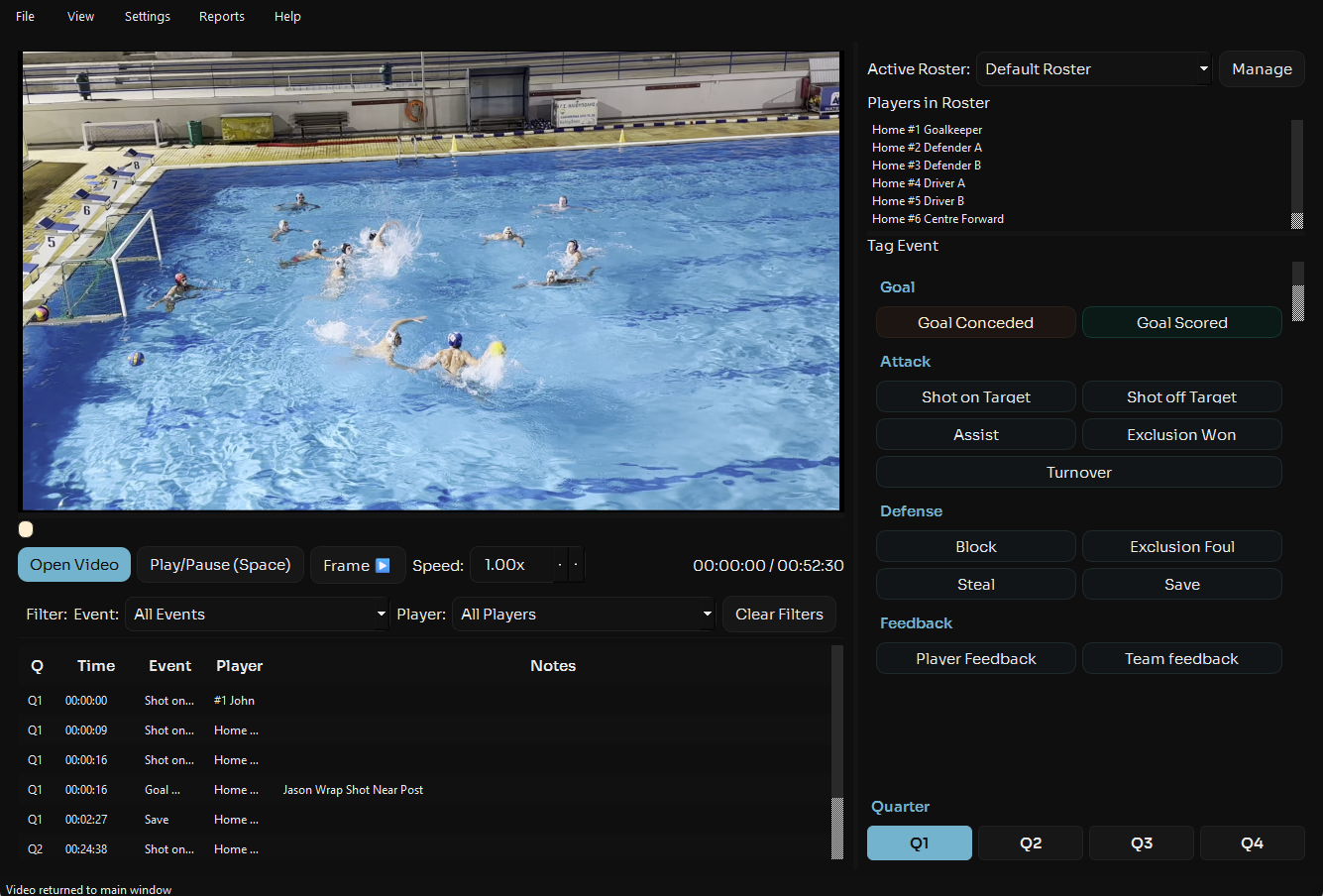
In the notes column add the feedback you want to overlay on the video clip.
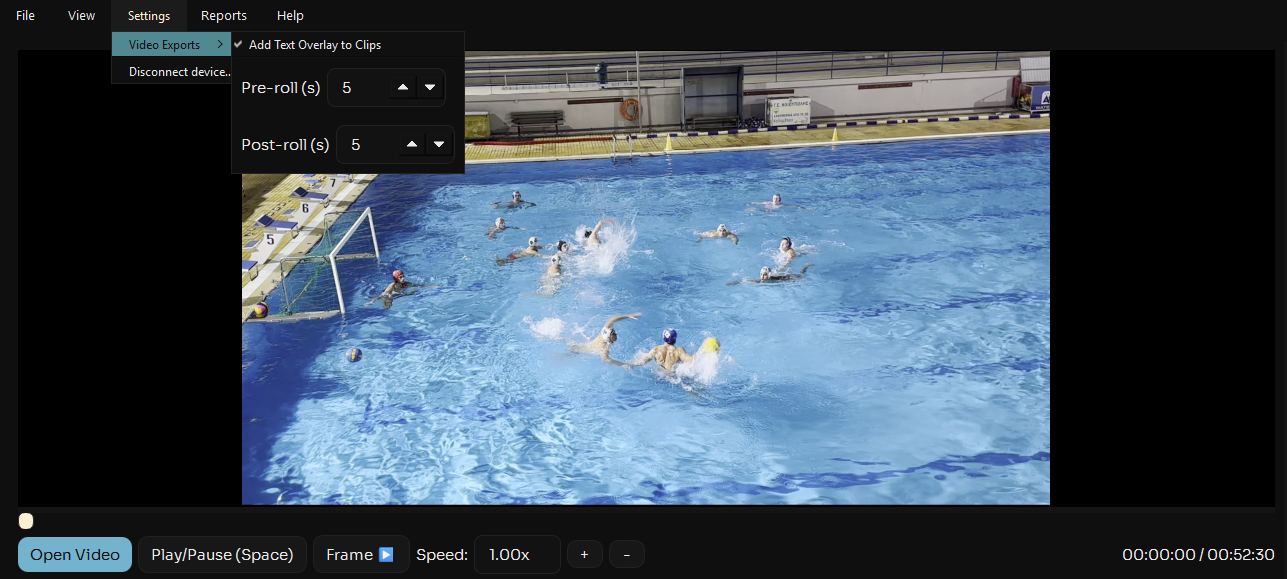
Clip Export Settings
If you want text to be overlayed on the video clip navigated to settings > Video Exports > "Add Text Overlay To Clips" and make sure it is checked
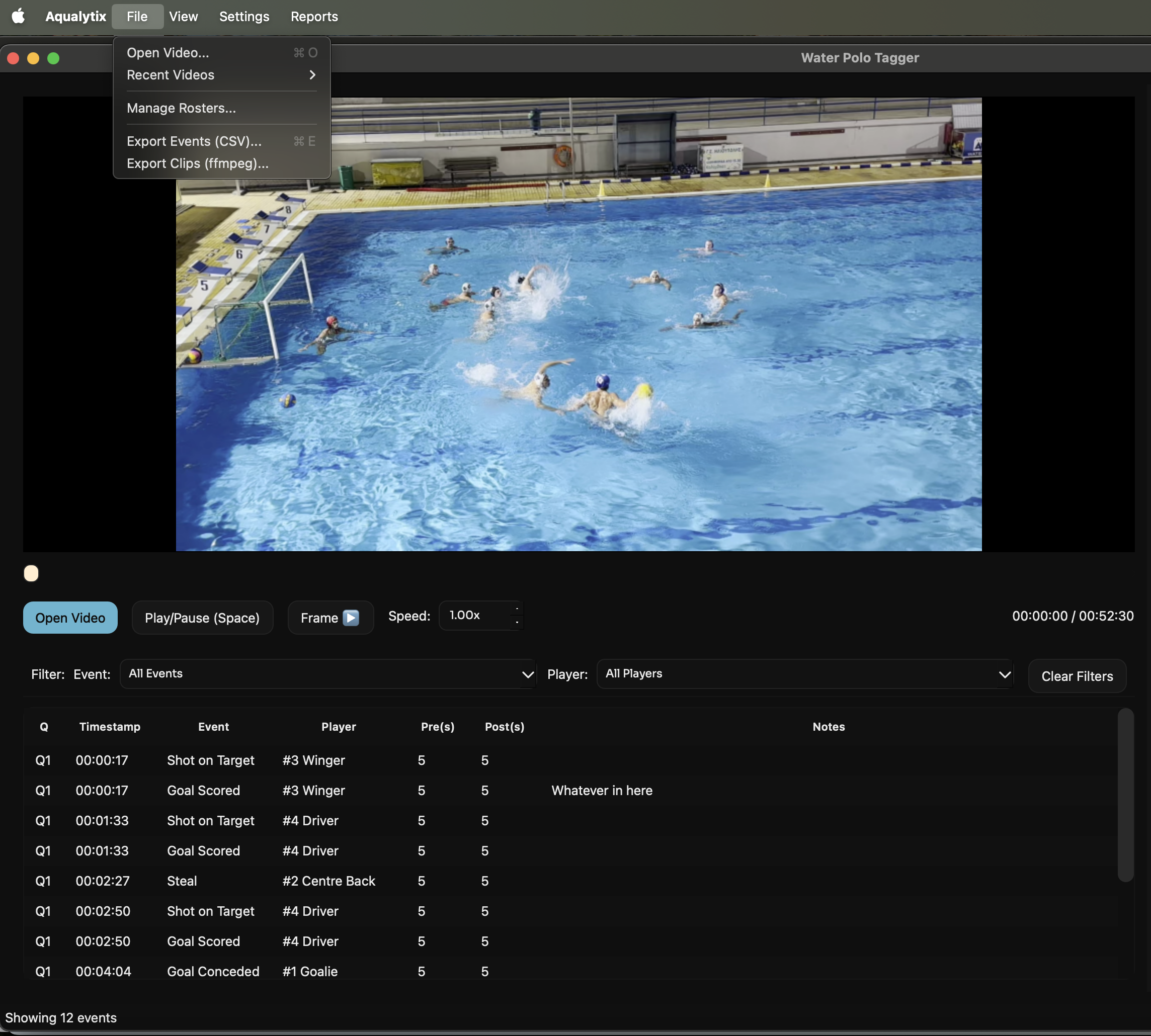
Export Clips
Navigate to the top left File > Export Clips.
Select Clip Settings
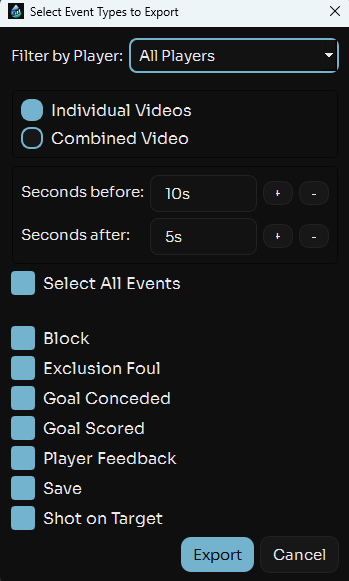
Choose the event types and players you want to see as well as if you want to export these clips as one comibined video or individual clips.
Select Folder
Select the folder to which you want to save the clips (Pro Tip: Create a dedicated folder for each game) Aqualytix will then create a folder for each player and export the relevant clips for each player to their folder, making the clips easier to find and share.