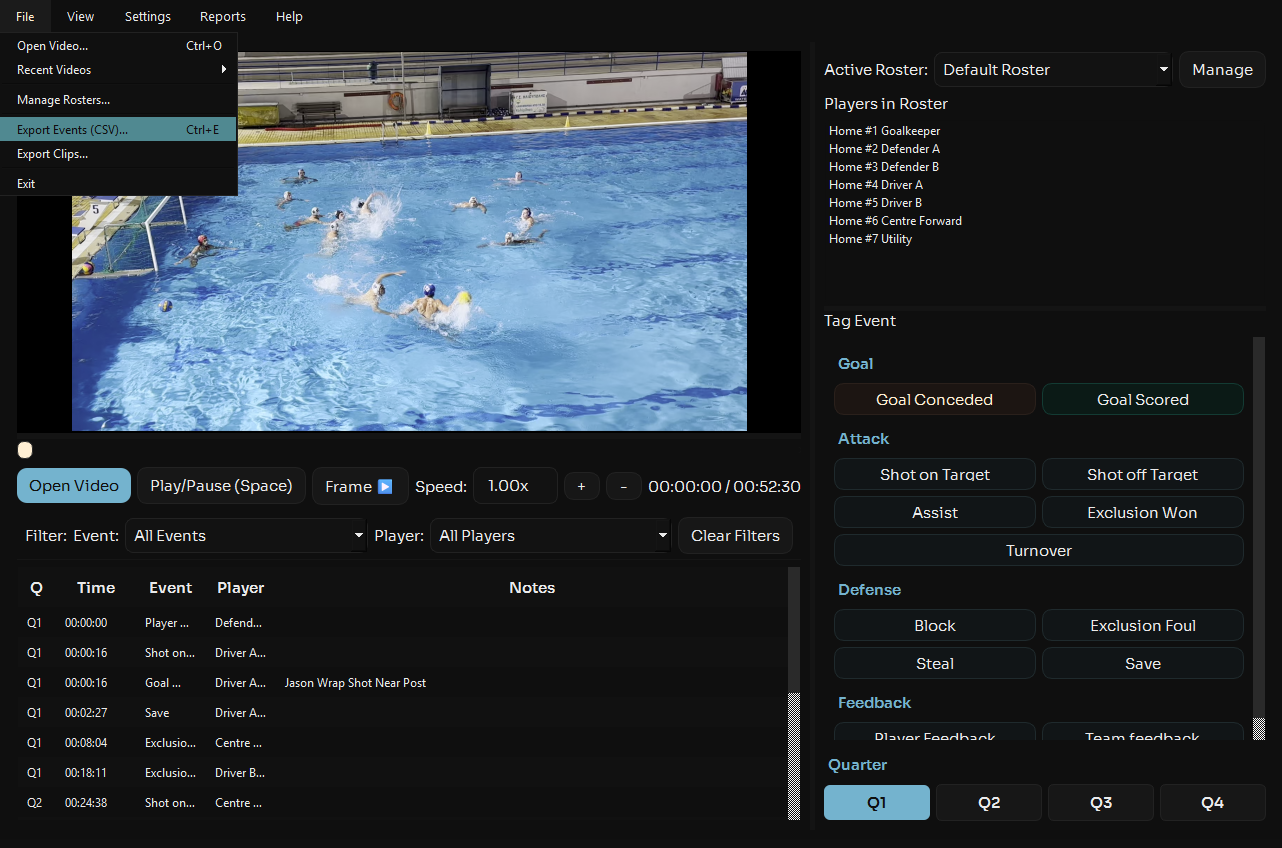
Stats Export allows you to take your tagged game data and export it in a standard CSV format that can be opened in Excel, Google Sheets, or any other data analysis tool. Get the raw data you need to perform custom analysis.
Export Raw Data
Export all your tagged events with detailed information including timestamps, player IDs, event types, and more. The CSV format preserves all the data you need for deep analysis.
Integrate with Other Tools
Use the exported data to create custom dashboards, combine with other datasets, or create player profiles across multiple matches. The flexible CSV format works with virtually any data tool.
Save Time on Manual Entry
Skip the manual data entry. Export your stats directly from Aqualytix and instantly have all the data you need for presentations, reports, or further analysis.
How To Use
Navigate to file in the top left of the app an in the menu click export events, choose where you want to save the csv adn you're done. Simple.